
F02 WatchFace for Android Wear7.0.1 - Google Play
You'll be able to see results in few seconds.
Publisher Description
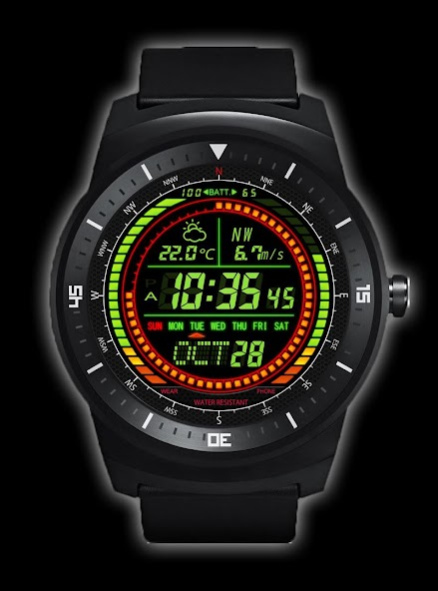
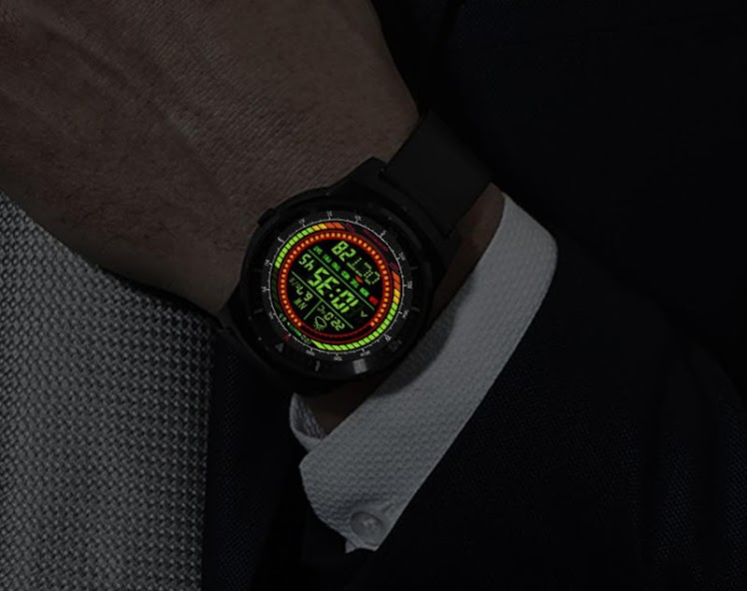
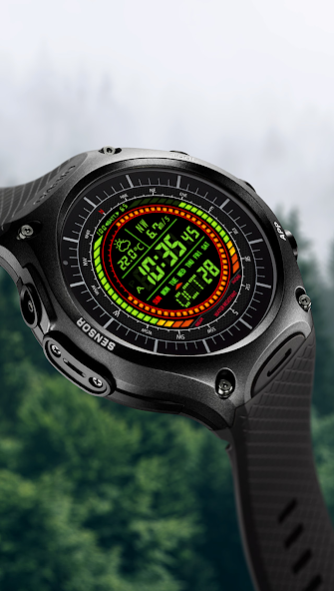
Custom watch face for Round Wear like LG Watch Style / Sport / Asus ZenWatch 3 / Huawei Watch 2 /NIXON THE MISSION / HUAWEI Watch / CASIO Pro Trek / Q Founder / Smart Watch3 / Polar M600 / TAG Heuer Connected
Features
- Awesome designer's watch face for you.
- show wear's battery level (0%-100%)
- show phone's battery level (0%-100%)
- show weather
- show temperature (°F or °C)
- show wind speed
- show wind direction
More watch faces for HUAWEI Watch / LG Watch Urbane / LG G Watch R
- Visit our exclusive watchface collections for Android Wear on the Play Store
http://goo.gl/OHnso7
For Android 6.0(and higher) phone users
Need to do following setup procedure after installation.
http://androidwearface.com/for_android6_users/
Installation
It will be installed on your watch automatically from your phone paired with your watch after a short time and please wait.
After installation,you can choose the watch face from the setting menu.
Or just long tap on the current watch face screen,so watch face selector screen will open.
Weather Feature
Option to set your location
- Automatically set your location by using location provider.(Low battery consumption)
- You can set your location manually.(No battery consumption)
Keep your phone's connection to wear to display weather.
Needs PERMISSIONS
It needs following permissions.
- INTERNET (Download weather information)
- FINE_LOCATION (Specify your location automatically)
Please Note
* F02 WATCHFACE MAKES NO GUARANTEE OF VALIDITY OF WEATHER.
* Please note that technical specifications are subject to change without notice.
Settings:Support color mode changing
- Auto switch Color mode and Black-and-White mode (when dimmed)
- Always Black and White mode
Settings:Support Black-and-White mode's color change
- You can select Black-and-White mode color from among seven colors.
Select 'Color filter at the time of the Black-and-White mode' on the setup screen.
Settings:Digits color(Non Black-and-White mode)
- You can select digits color from among three colors.
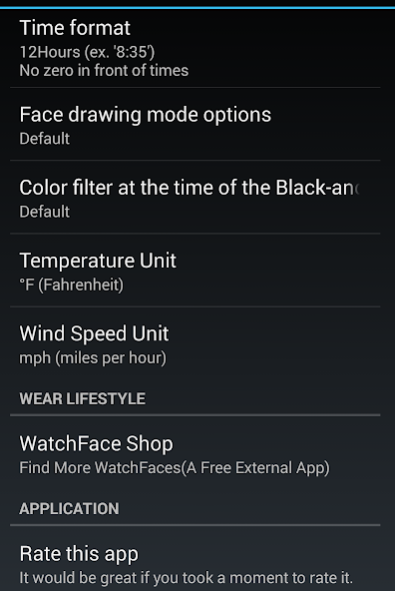
Settings:Temperature Unit
- °F (Fahrenheit)
- °C (Celsius)
Settings:Wind Speed Unit
- mph (miles per hour)
- mps (meters per sec)
* Tap the watchface icon on your PHONE to setup.
Please note
- If you don't like this model please cancel your order in 15 minutes. And try another watch face.
This watchface is designed for Round-faced Android Wear Watch.
Legal Disclaimer:
It is an unofficial watchface for HUAWEI Watch / LG G Watch R. LG G Watch R ownership reserved by LG.
Tested with LG G Watch
*Smartphone and Android Wear must be paired before you use it.
[NOTICE]
If you have a question,plsease contact our email address in English.
About F02 WatchFace for Android Wear
The company that develops F02 WatchFace for Android Wear is Smartwatch Bureaux. The latest version released by its developer is 7.0.1.
To install F02 WatchFace for Android Wear on your Android device, just click the green Continue To App button above to start the installation process. The app is listed on our website since 2017-12-24 and was downloaded 0 times. We have already checked if the download link is safe, however for your own protection we recommend that you scan the downloaded app with your antivirus. Your antivirus may detect the F02 WatchFace for Android Wear as malware as malware if the download link to net.ddroid.aw.watchface.rf02 is broken.
How to install F02 WatchFace for Android Wear on your Android device:
- Click on the Continue To App button on our website. This will redirect you to Google Play.
- Once the F02 WatchFace for Android Wear is shown in the Google Play listing of your Android device, you can start its download and installation. Tap on the Install button located below the search bar and to the right of the app icon.
- A pop-up window with the permissions required by F02 WatchFace for Android Wear will be shown. Click on Accept to continue the process.
- F02 WatchFace for Android Wear will be downloaded onto your device, displaying a progress. Once the download completes, the installation will start and you'll get a notification after the installation is finished.
Program Details
System requirements
Download information
Pricing
Version History
version 7.0.1
posted on 2017-12-24
2017 Christmas update.
- Improve performance.
- Minor modifications
version 6.9.3
posted on 2016-11-12
- Performance improved.,Added support for NIXON THE MISSION
Disclaimer
Official Google Play Link
We do not host F02 WatchFace for Android Wear on our servers. We did not scan it for viruses, adware, spyware or other type of malware. This app is hosted by Google and passed their terms and conditions to be listed there. We recommend caution when installing it.
The Google Play link for F02 WatchFace for Android Wear is provided to you by apps112.com without any warranties, representations or guarantees of any kind, so access it at your own risk.
If you have questions regarding this particular app contact the publisher directly. For questions about the functionalities of apps112.com contact us.
